
Electronic Visits without Forms Report (Sponsor-Level)

This report will identify visits that are designated as electronic but the electronic form has not been submitted.

- Login as a sponsor admin user.
- Click on the green tab labeled Reports.

- From the dropdown, select the category Monitoring and Training
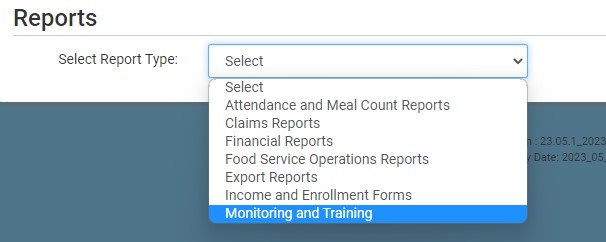
- Click on the report titled Electronic Visits without Forms
- Select the date range
- Click the green Run Report button to create a hyperlink.
- Click the Download Report hyperlink to download the report in spreadsheet format.
