
Race/Ethnicity Report for Participants with Meal Attendance [Report - Site Version]

This report contains the race and ethnicity information for each participant on a specific date and meal.

To run this report from the Reports screen:
- Click on Reports from the main site dashboard. This will take you to a screen to select the report category.
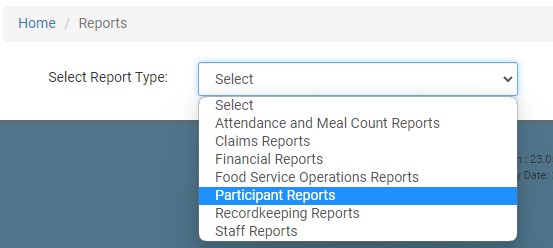
- On the report selection screen, select the category Participant Reports.
- Scroll down to the Household & Demographics subcategory.
- From the list of reports, click on the one labeled Ethnicity Racial Report for Participants with Meal Attendance.
- Select the date.
- Select the meal.
- Click the green Run Report button to generate a hyperlink.
- Click on the Download Report hyperlink to download the report as a PDF.
To run this report from the Visits screen:
- Click on Visits from the main dashboard.

- Click on the hyperlink for the date of the visit that you want to run the report for.
- Scroll down to the bottom of the screen and next to Race/Ethnicity Report for Participants with meal attendance:
- Click the blue Run Report button to download a spreadsheet version of the report.
- Click the green Attach button to run the report and attach it to the visit as a PDF.
- There are two sets of columns in this report. This second set of columns is for states that want sponsors to aggregate
all participants with more than one race into a category called “2 or more” instead of including them in the count for each of the separate race categories.


