
Meal Count Method [Setting]

This setting controls how meal counts are entered. Meal Count records are a requirement of the CACFP.

To use this setting:
- Login as a sponsor admin user and click on Site Details from the main site dashboard.

- Find the dropdown labeled Meal Count Method under Required Site Information.
- Select from:
- Roster: This means that you are selecting the names of individual participants (children or adult day care clients) for each meal.
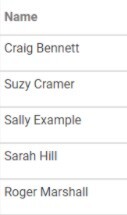
- Headcount: This means that you are just counting the number of participants (children or adult day care clients) present for a meal and entering that number. You are not tracking which participants are attending each specific meal.
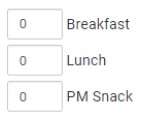
- Scroll to the top or bottom of the page and click the green Save button.