
Meal Counts by Meal Type

This report is for sites doing headcount meal counts only; it shows all the fields on the headcount meal count screen:
- Attendance (optional - check the box on the report screen to include attendance)
- Meals Received/Prepared
- Meals Available from Previous Days
- First Meals
- Second Meals
- Meals Served to Program Adults
- Meals Served to non-Program Adults
- Non-reimbursable Meals
- Leftovers
- Number of Additional Children Requesting a Meal

- Click on Reports from the main site dashboard. This will take you to a screen to select the report category.
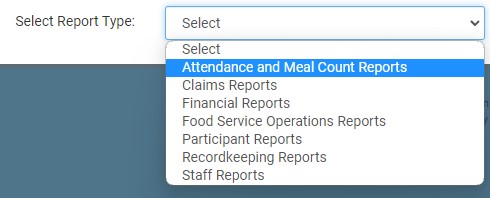
- Select report category Attendance and Meal Count Reports
- Click on the hyperlink for the report titled "Meal Counts by Meal Type"
- Enter the date range for the report
- If you are running the report for a week, then check the box that says "Label Column as Weekly Total". Otherwise, leave that box unchecked
- If you would like to include attendance on the report, check the box labeled "Include Attendance". Note that attendance is not relevant for summer food sites.
- Click the green Run Report button to generate the report.
- Once the report has been generated, click the blue Download Report hyperlink.
