
Headcount Meal Count with Attendance (Site-Level)

This report lists all participants checked in for attendance during each day for the date range selected and includes a summary of the meal counts for each day.

- Click on Reports on the main site dashboard
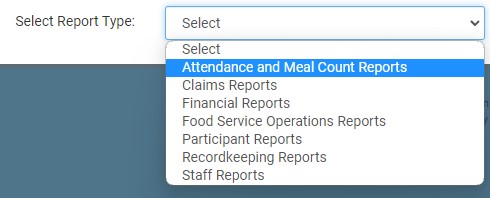
- From the dropdown, select Attendance & Meal Count Reports.
- Click on the hyperlink for the report titled Headcount Mealcount with Attendance REport
- Select the date range for the report
- Select specific rosters or select all.
- Click the green Generate File button to generate a download link.
- Click the hyperlink to Download Report in spreadsheet format.


This report will only work if the
- Daily Attendance Method is Daily Attendance
- The checkbox for Enter Attendance by Headcount is not checked and
- Meal Count Method is set to Headcount