
Provider Tier Status [Report - Sponsor Version]

This report contains the tier status for one or more sites for a selected date.

To run this report:
- Login as a sponsor admin user. This will take you to the main sponsor dashboard.
- Click on the green button labeled Reports. This will take you to a screen to select the report category.

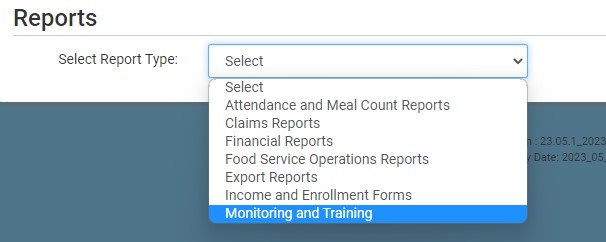
- From the dropdown, select the category Monitoring and Training.
- Scroll down to the Family Child Care Homes subcategory.
- Click on the report titled Provider Tier Status.
- Select the date.
- Select the site(s) you want to include in the report.
- Click the green Run Report button to create a hyperlink.
- Click the Download Report hyperlink to download the report in PDF format.

