
Site Summary [Report - Sponsor Version]

This report contains a comprehensive list of all the information about a site, including information about their facility license, claim history, enrolled participants and training participation.
The Site Summary Report is often used by field monitors to prepare for a monitoring visit.

To run the report:
- Click on the Reports button from the main sponsor dashboard.

- Select the category Monitoring and Training.
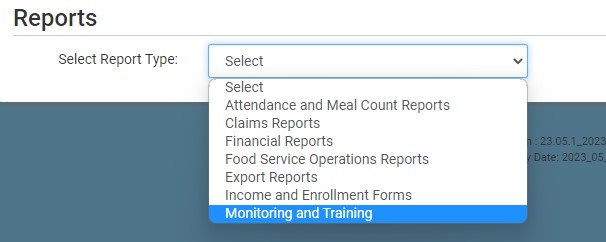
- Scroll to the Monitoring Visits subcategory.
- Click the hyperlink for the report titled Site Summary Report.
- Select the County(ies) from the list.
- Making a selection here will trim the Site List below
- To clear your selection, go back and uncheck "Select All" - the screen will refresh and all counties will be available for selection
- Select City(s): choose from specific or select all.
- Making a selection here will trim the Site List below
- To clear your selection, go back and uncheck "Select All" - the screen will refresh and all cities will be available for selection
- Select Claim Type
- Manual Claims Only
- Online Claims Only
- All
- Select Monitor(s): choose from specific or select all.
- Making a selection here will trim the Site List below
- To clear your selection, go back and uncheck "Select All" - the screen will refresh and all monitors will be available for selection
- Select Site(s): choose from specific or select all.
- This list is filters by your selections for county, city, claim type and monitor!
- Select if you want to include all or some of the following sub-reports:
Participants Claiming Tier I
Principal(s)
Special Needs Participants
Claim History
Participant Notes
Visits
User Training
Closure/Field Trips
Record Log
Deficiency Events
Special Diet Participants
- Select if you want to Include Manual Claims Worksheet.
- Select if you Do Not Include Participants.
- Click the green Run Report button to create a hyperlink.
- Click the Download Report hyperlink to download the report in spreadsheet format.

