
Staff Training Report

CACFP and SFSP regulations require annual mandatory training sessions appropriate to the level of staff experience and duties. There is no federal rule about how many hours of training each person must receive but some state agencies have set their own policies.
Only sponsor users are allowed to enter training but providers or centers can view their CACFP/SFSP training records.
This report is used to track training for site staff. It has a custom date range picker and displays columns with staff name, role, a description of the training and the date of training. The information in this report is from training entered on the staff or user page or visit page.

- Click on Reports from the main site dashboard
- From the report selection screen, choose the category Staff Reports

- Click on the hyperlink for the report labeled "Staff Training Report".
- Select the start and end date for the report.
- Click the green Run Report button to generate a download link.
- Click the hyperlink to Download Report in PDF format.
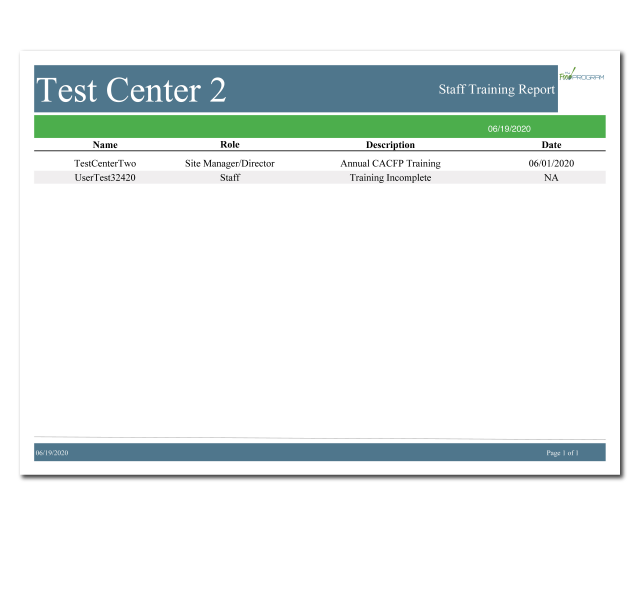

Sponsor-Level Site Training Report: use this report if you are a sponsor-level user and want to review training across multiple sites
Sponsor-Level Missing/Expired Training Report: use this report to identify site-level users that have not fulfilled their annual training requirement