
Substitutions for Special Dietary Needs [Report - Sponsor Version]

This report lists the participants food substitutions by meal.

To run this report:
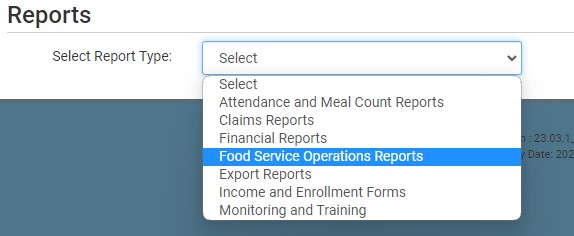
- From the main sponsor dashboard click on the green tab for Reports. This will take you to a screen to select the report category.

- Select report category Food Service Operations Reports.
- Scroll down to the Special Diet Compliance subcategory.
- Click the hyperlink for the report titled Substitutions for Special Dietary Needs.
- Enter the date range for the report.
- Select specific sites or all sites.
- Click the green Run Report button to generate the report.
- Once the report has been generated, click the blue Download Report hyperlink.

