
Daily Meal Count & Attendance Record (H1535-AT) (Site-Level)
*This report is for At-Risk Afterschool Programs Only*

Attendance and meal count information for a date range, grouped by the user who entered the attendance.

- Click on Reports from the main site dashboard.
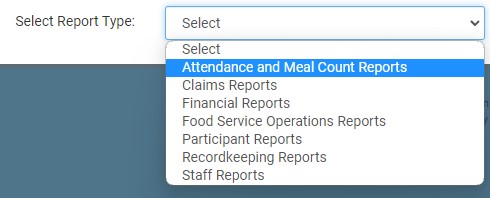
- From the report selection screen, choose the category Attendance and Meal Count Reports.
- Click on the hyperlink for the report labeled "Daily Meal Count & Attendance Record (H1535-AT)".
- Select the Date Range.
- Click the green Run Report button to generate a download link.
- Click the hyperlink to Download Report in PDF format.
*Please note that the report will print blank if there is no attendance or meal counts for the day. This allows you to use this form as a paper back-up sheet for your afterschool programs.
