
Date/Time Stamp of Attendance and Meal Count Entries [Report - Sponsor Version]

This report contains an audit trail for when attendance and meal counts were entered for each participant and each meal and the user that entered the information. This can be useful for sponsors who need to verify that meal counts were entered during the approved time frame.

To run this report:
- Click on Reports from the main site dashboard.
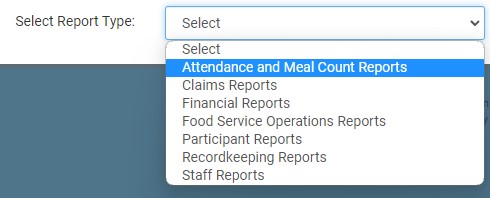
- From the report selection screen, choose the category Attendance and Meal Count Reports.
- Click on the hyperlink for the report labeled Date/Time Stamp of Attendance and Meal Count Entries.
- Select the start date for the report.
- Select the Program Type for the report.
- Click the green Run Report button to generate a download link.
- Click the hyperlink to Download Report in spreadsheet format.

