
Facility License [Report - Sponsor Version]

This report contains a list of the facility license numbers, effective dates and expiration dates for all active sites. Facility licenses that are missing, expired or expiring in the next 30 days will be in red text. This report assists sponsors in ensuring that facilities have a current facility license, which is a requirement for some site types.

To run this report:
- Login as a Sponsor Admin or Sponsor Reporter.
- Click on the green Reports button.

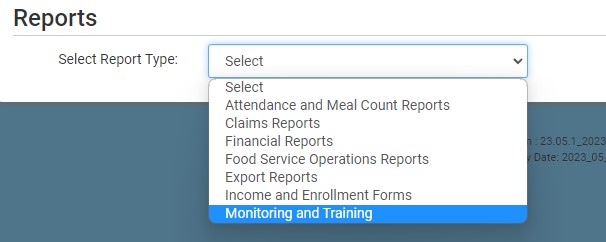
- Select the report category Monitoring and Training.
- Scroll down to the Compliance Information subcategory.
- Click the hyperlink for Facility License Report.
- Select your Start Date.
- Select your Sites (specific sites or select all).
- Select your License Groups:
- All Licenses
- Licenses that are Expired, Expiring in the Next 30 Days or Missing
- Licenses that are Missing or Expired
- Select Use Business Name when available to show the site’s “Business Name” in place of Site Legal Name, falling back to Site Legal Name when Business Name is blank.
- Select Include uploaded files to append each selected site’s current uploaded license file to the end of the report PDF.
- Click the green Run Report button.
- Click the hyperlink to Download Report as a PDF.

