
First Meal Report (Sponsor-Level)

This report provides information about meal counts on each day for each day for the selected date range.

- Click on Reports from the main site dashboard
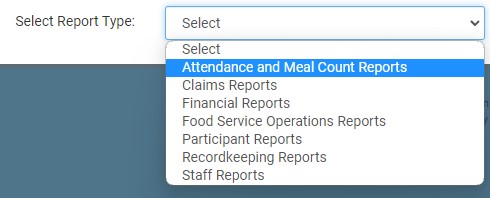
- From the report selection screen, choose the category Attendance and Meal Count Reports.
- Click on the hyperlink for the report labeled "First Meal Report"
- Select the month for the report.
- Select the meal type for the report
- Click the green Run Report button to generate a download link.
- Click the hyperlink to Download Report in spreadsheet format
