
Meal Count and Menu Claim Documentation Spreadsheet with In/Out Times [Report - Site Version]

This report contains in/out times, meal count and menu information supporting the claim for the selected claim month.

To run this report:
- Click on Reports from the main site dashboard. This will take you to a screen to select the report category.
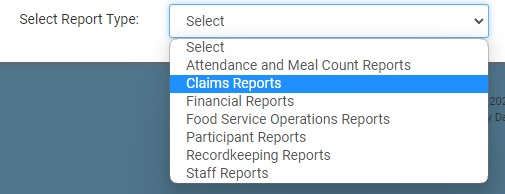
- Select Claims Reports from the dropdown.
- Scroll to the Claims Reports subcategory.
- Click on the hyperlink for the report labeled Meal Count and Menu Claim Documentation Spreadsheet with In/Out Times.
- Select the claim month/year for which you want to run the report.
- Click the green Run Report button.
- When the hyperlink appears, click Download Report to download the report as an XLSX.

