
Under 12 Months Menu Spreadsheet [Report - Site Version]

This report contains the menu in spreadsheet format for those customers that would like to customize the appearance of their menus.
We recommend using Chrome, Safari or Edge for these downloads. Firefox will automatically convert the spreadsheet to a PDF, which may not open properly.

*You can only run this report from the Reports screen.*
To run this report from the Reports screen:
- Click on Reports from the main site dashboard. This will take you to a screen to select the report category.
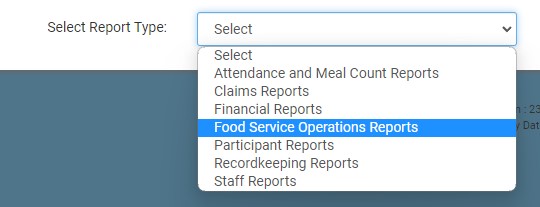
- From the report selection screen, click on Food Service Operations category.
- Scroll to the Menus subcategory.
- Click on the hyperlink that says Under 12 Months Menu Spreadsheet.
- Select the month/year.
- Click on the green Run Report button to generate a hyperlink.
- Click on the hyperlink to Download Report as a XLXS.

