
Nonprofit Overage Allowance [Report - Sponsor Version]

This report contains a monthly expense average based on adding up all the expenses the center has recorded and dividing by the number of claims created.

- Login as a Sponsor Admin user.
- Click on the green Reports button.

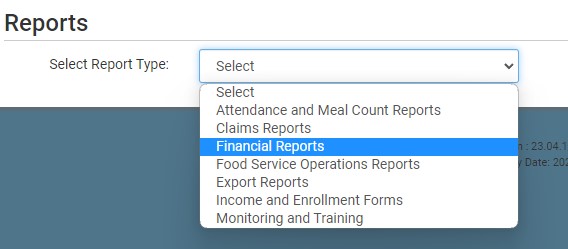
- From the dropdown menu of report categories, select Financial Reports.
- Scroll down to the Expenses subcategory.
- Click on the hyperlink for the report called Nonprofit Overage Allowance Report.
- Select the Start Date.
- Select the End Date.
- Click the green Run Report button.
- Click the hyperlink to Download File as a CSV file.


