
Total Training Hours [Report - Sponsor-Level]

This report contains the total number of training hours for site-level staff for the date range selected. It includes only training marked as CACFP Required Elements or Civil Rights.

To run this report:
- Login as a sponsor admin user.
- Click on the green Reports button.

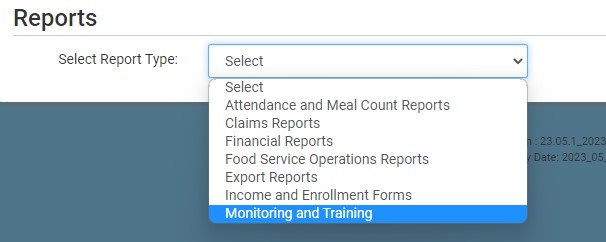
- From the dropdown, select the category Monitoring and Training.
- Scroll to the Users & Training subcategory.
- Click on the Total Training Hours Report hyperlink from the list.
- Select the date range.
- Click the green Run Report button to create a hyperlink.
- Click the Download Report hyperlink to download the report in PDF format.


